2 · Use case scenarios for Oracle Database@Azure
These are original revision notes for the use-case course video. They summarize the ideas in our own words rather than reproducing the video.
Core message
Oracle Database@Azure exists because customers who standardize on Azure for their applications still need their Oracle databases close by. Before the service, those customers had to bridge two environments with a custom, costly network. The use-case video walks through the deployment patterns that previously forced that trade-off and shows how colocating Exadata Database Service inside the Azure datacenter removes it.
The problem it solves
- Many critical applications — packaged software, in-house builds, or customized third-party apps — use Oracle Database as their primary data store.
- Those Oracle databases often run on Exadata infrastructure on-premises or on enterprise server hardware on-premises.
- When the applications moved to Azure compute but Exadata was not yet available in Azure, customers were forced into a hybrid design: keep the Oracle database on-premises and connect back to it from Azure.
- That hybrid pattern needed a dedicated, secure network between the Azure datacenter and the on-premises datacenter. It added design complexity, raised cost, and risked higher or less predictable latency.
- The alternative — moving Oracle databases from enterprise server hardware onto Oracle databases running on Azure compute (VMs) — was possible, but it did not deliver a large efficiency gain on its own.
How Oracle Database@Azure addresses it
- The service hosts Oracle databases on Exadata infrastructure right next to the application inside the Azure datacenter.
- Customers migrating applications to Azure compute can move their on-premises Exadata Oracle databases directly to Exadata Database Service in Azure.
- Oracle databases on enterprise server hardware on-premises can be consolidated directly into Exadata Database Service in Azure.
- The migrated databases inherit the scalability, security, performance, and availability properties of the OCI Oracle Exadata Database Service.
- The outcome customers look for is improved operational efficiency and lower overall cost.
Deployment flow
The video frames provisioning as a short, ordered sequence:
- Deploy Exadata Database Service and plug it into the Azure virtual network (VNet).
- Provision the required databases, either migrated as-is or combined through a consolidation exercise.
- Migrate the data using any Oracle database tool or utility, or automate the whole move with Oracle Zero Downtime Migration.
- Migrate the enterprise application into the Azure environment.
- Establish the network configuration that allows the migrated application and the Oracle databases to communicate.
- Publish the application, now running entirely in Azure.
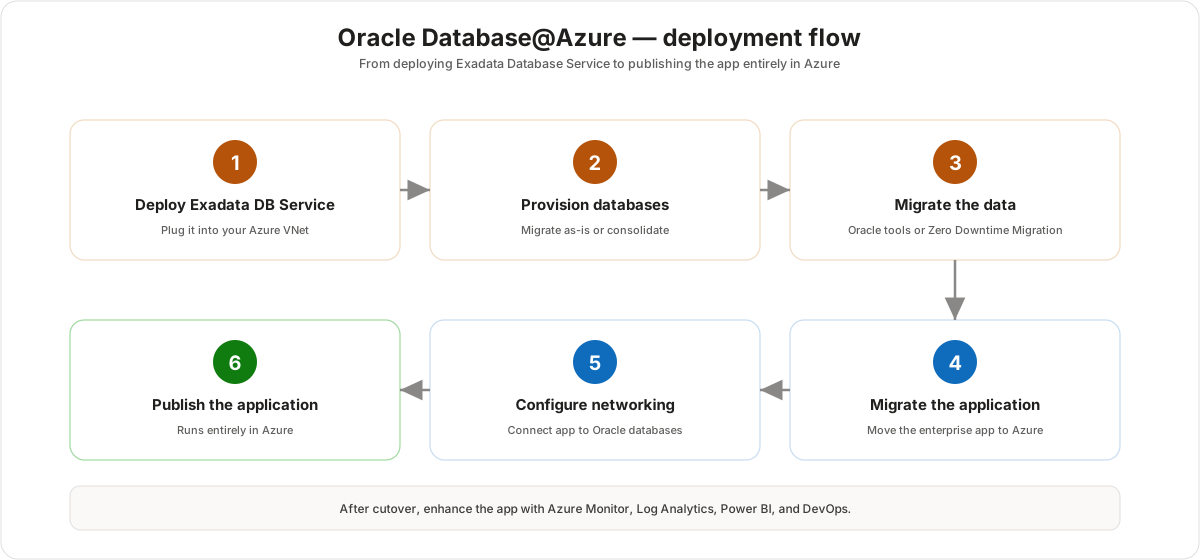
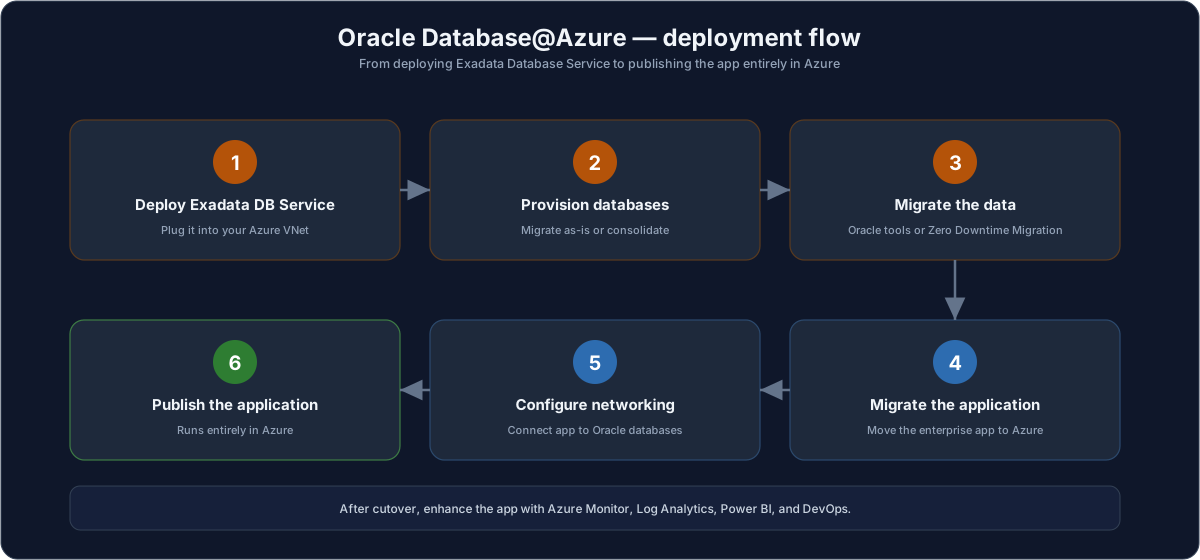
After cutover, the application can use other Azure services — Azure Monitor, Log Analytics, Power BI, and DevOps tooling — to enhance existing apps or build and deploy new ones backed by the OCI Oracle Database service.
Migration scenarios
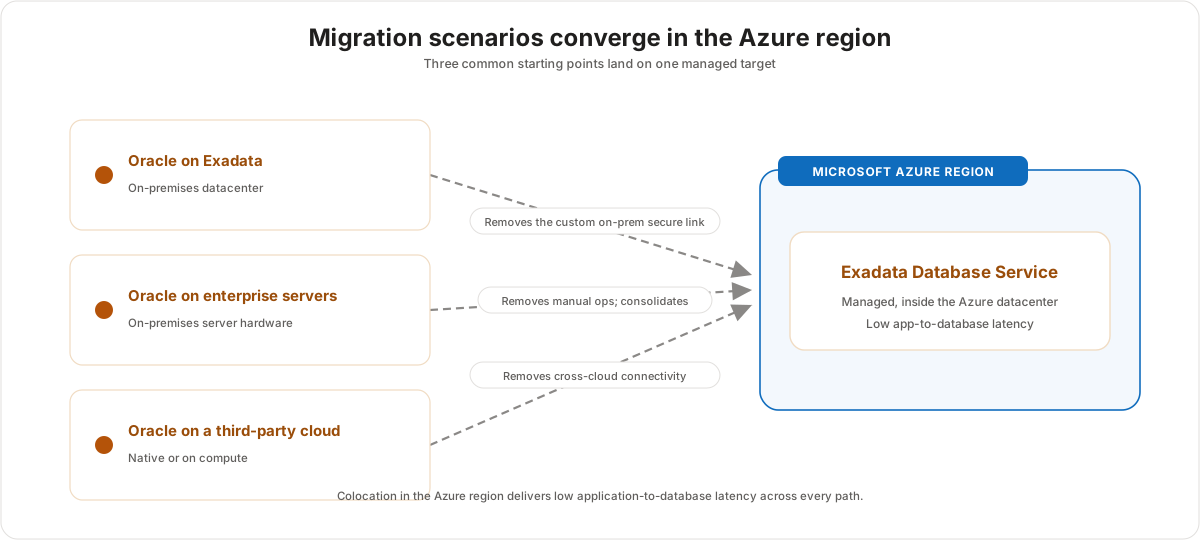
| Starting point | Target | What the service removes |
|---|---|---|
| Oracle on Exadata, on-premises | Exadata Database Service in Azure | The custom secure link between Azure and the on-premises datacenter. |
| Oracle on enterprise server hardware, on-premises | Consolidated into Exadata Database Service in Azure | Manual database management and underpowered VM-hosted databases. |
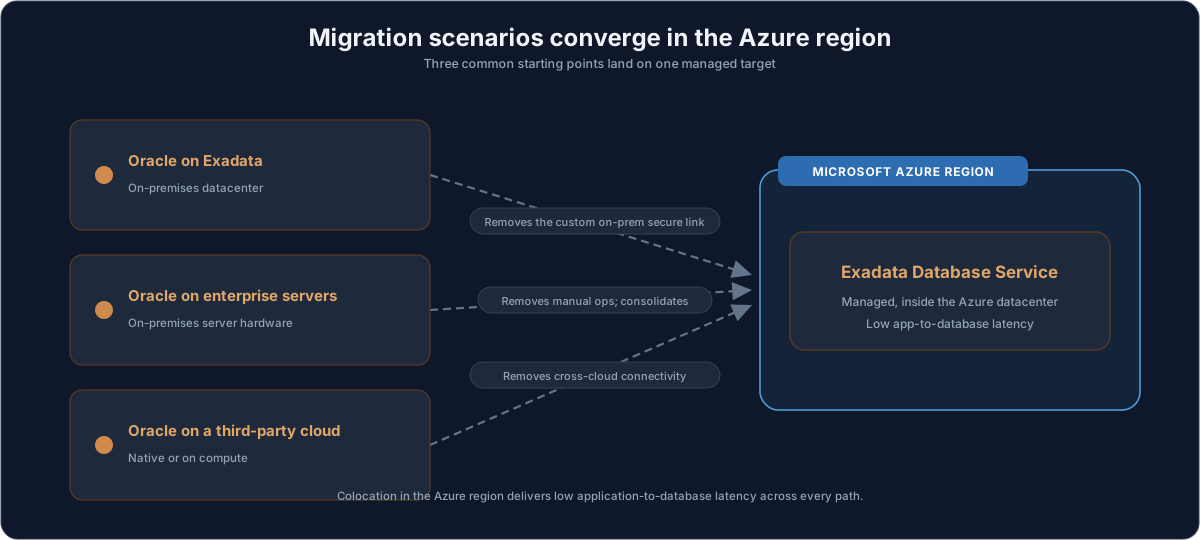
| Oracle on a third-party cloud (native or on compute) | Exadata Database Service in Azure | Complex cross-cloud connectivity between vendors. |
Customer value
- Keeps the application and the Oracle database colocated in the Azure datacenter, which delivers the lowest practical latency and a faster end-user experience.
- Removes the custom cross-cloud or hybrid networking that previously sat between Azure applications and Oracle data.
- Brings Exadata-class scalability, security, availability, and performance to databases that were previously on-premises or on another cloud.
- Built-in automation reduces the manual effort of managing an Oracle database.
- Supports a multicloud strategy in which Azure is the primary cloud while Oracle data still runs on Exadata.
Risks and constraints to remember
- Consolidation is a design exercise, not a copy: combining many source databases into Exadata Database Service needs sizing and compatibility planning.
- A migration still depends on the right method (Oracle tools, utilities, or Zero Downtime Migration) for the workload's downtime and change-rate tolerance.
- Network configuration between the application and the database is an explicit step — it must be planned, not assumed.
- The latency benefit comes from colocation; confirm the application and the database land in the same region and datacenter footprint.
- The benefits described are the inherent properties of OCI Exadata Database Service, so validate region availability and commercial onboarding before promising them to a customer.
Terms to remember
- Hybrid deployment
- Exadata infrastructure
- Enterprise server hardware
- Database consolidation
- Exadata Database Service
- Oracle Zero Downtime Migration
- Azure virtual network (VNet)
- Cross-cloud connectivity
- Colocation latency benefit
If a customer has already moved applications to Azure but left Oracle databases on-premises or on another cloud, the value story is simple: bring the Oracle database into the Azure datacenter on Exadata Database Service, retire the custom interconnect, and let the app and database run side by side with low latency and Exadata-class performance.