3 · Entra roles vs Azure roles
These are original revision notes for the Microsoft Entra roles vs Azure roles lesson in the Azure Identity and Networking module. They explain, in our own words, the difference between the two role systems, what each one governs, and how an Azure role assignment is actually built — rather than reproducing the recording.
Core message
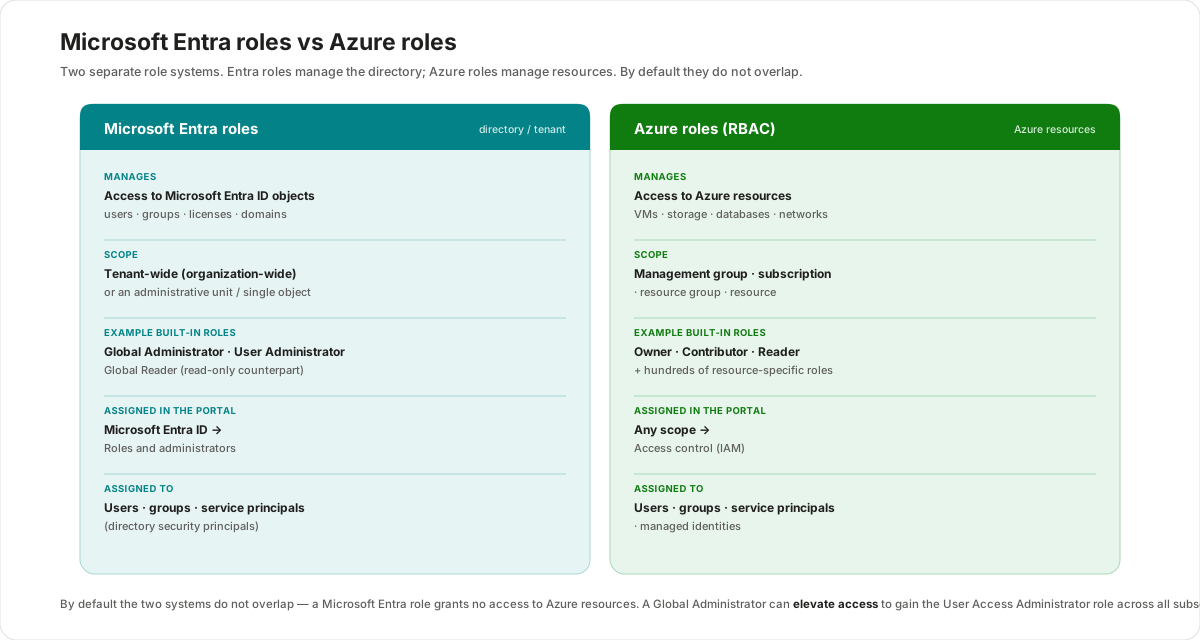
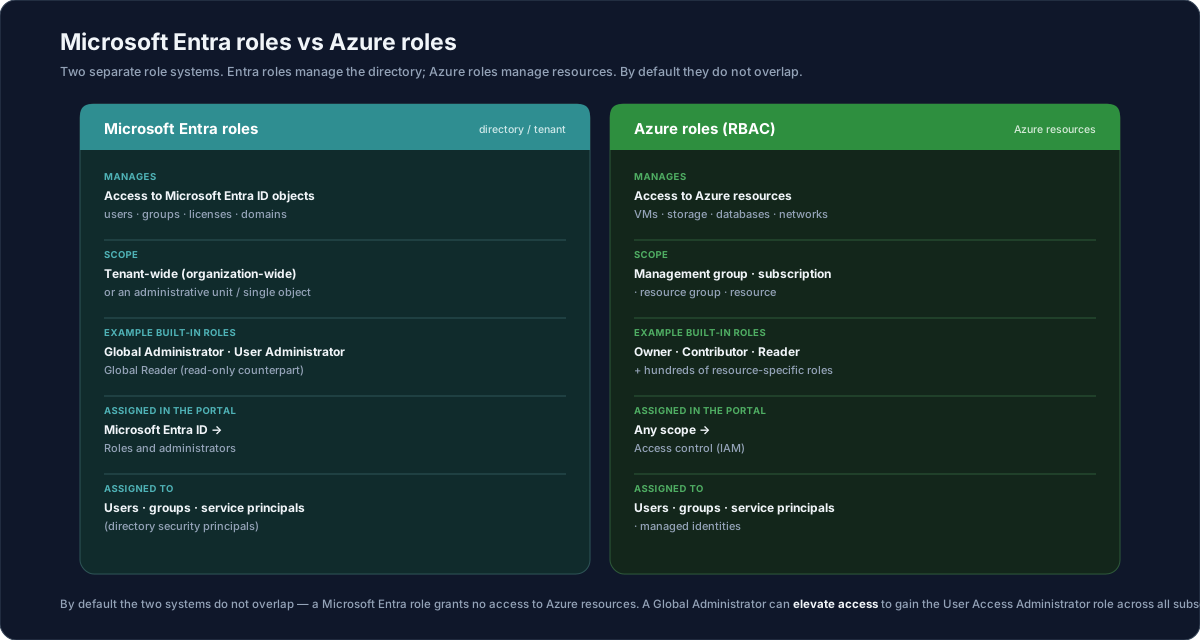
There are two separate role systems, and they answer two different questions. Microsoft Entra roles manage access to Microsoft Entra ID resources — the directory itself: users, groups, licenses, and domains. Azure roles (Azure role-based access control, or RBAC) manage access to Azure resources — virtual machines, storage accounts, databases, and networks. They are administered in different places, they use different scopes, and by default they don't overlap: holding a Microsoft Entra role grants no access to Azure resources, and an Azure role grants nothing in the directory. The one deliberate bridge is that a Global Administrator can elevate access to gain control of every Azure subscription. The Azure side is built on a simple, repeatable model — every assignment is a security principal + role definition + scope.
Two role systems, one platform
It's easy to assume "an admin is an admin", but Azure draws a hard line between managing the directory and managing resources. The two systems exist because they protect different things:
- Microsoft Entra roles answer "who can administer the directory?" — who can create users, reset passwords, assign other admins, and manage licenses and domains.
- Azure roles (RBAC) answer "who can do what to which Azure resources?" — who can start a virtual machine, read a storage account, or manage an Azure SQL Database.
They are independent by default. A person can be a powerful directory administrator and still have no standing access to any Azure resource, and vice versa. Keeping them separate is what lets you give someone the ability to manage users without also handing them your production infrastructure.
Microsoft Entra roles
Microsoft Entra roles control access to Microsoft Entra resources — the identities and directory objects. You manage them from Microsoft Entra ID → Roles and administrators.
The roles to recognize:
- Global Administrator — the most powerful directory role. It can manage access to all administrative features in Microsoft Entra ID, assign administrator roles to others, and reset the password for any user and any other administrator. The person who signs up for the tenant automatically becomes a Global Administrator. Treat it as a role to grant sparingly.
- User Administrator — can create and manage all aspects of users and groups, and change passwords for users, Helpdesk administrators, and other User Administrators. A focused role for day-to-day identity management without full directory control.
- Global Reader — the read-only counterpart of Global Administrator: it can read everything a Global Administrator can, but cannot change anything. Ideal for auditors and reviewers who need visibility without write access.
- Billing Administrator — manages purchases and subscriptions and related billing tasks.
The scope of an Entra role is the directory: typically tenant-wide (organization-wide), though some roles can be scoped to an administrative unit or a single object.
Azure roles (RBAC)
Azure roles control access to Azure resources and are the authorization system built on Azure Resource Manager. Azure RBAC ships with over a hundred built-in roles, but a handful cover most situations. Three of them — Owner, Contributor, and Reader — apply to every resource type:
- Owner — full access to manage all resources, including the right to assign roles to others in Azure RBAC.
- Contributor — full access to manage all resources, but cannot assign roles to others.
- Reader — can view Azure resources, but not change them.
Two more are specifically about delegating access itself:
- User Access Administrator — manages user access to Azure resources (can assign roles), without the broad resource control of Owner.
- Role Based Access Control Administrator — manages role assignments, with a more constrained surface than User Access Administrator.
You assign Azure roles from the Access control (IAM) page on a resource, resource group, subscription, or management group.
How an Azure role assignment works
Every Azure role assignment is built from three elements. Get these three right and you've described exactly who can do what, where:
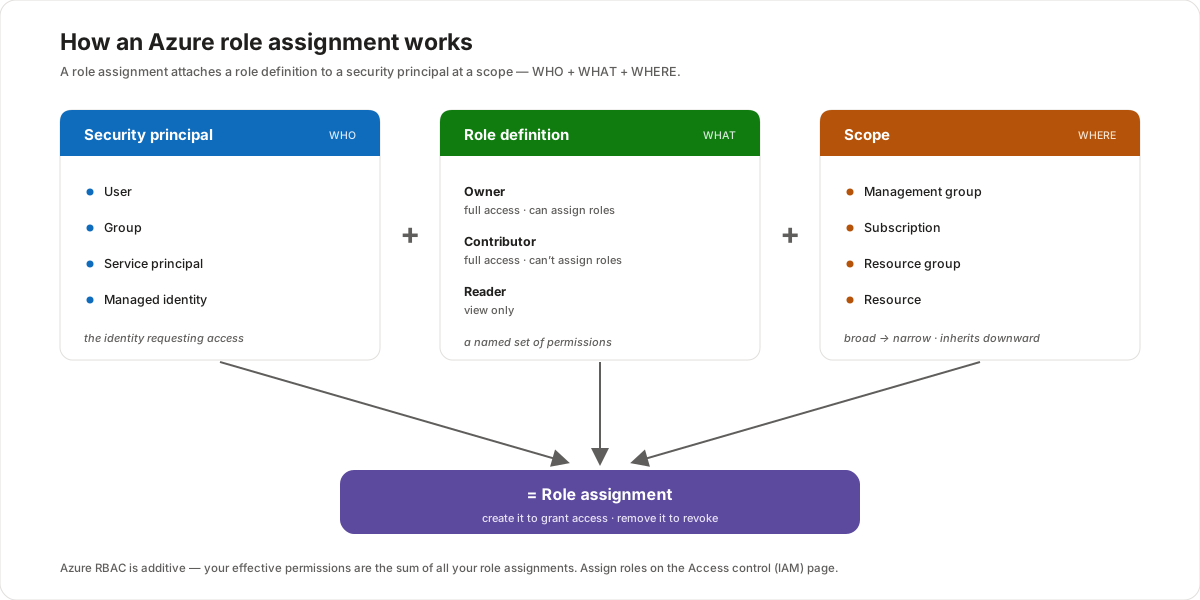
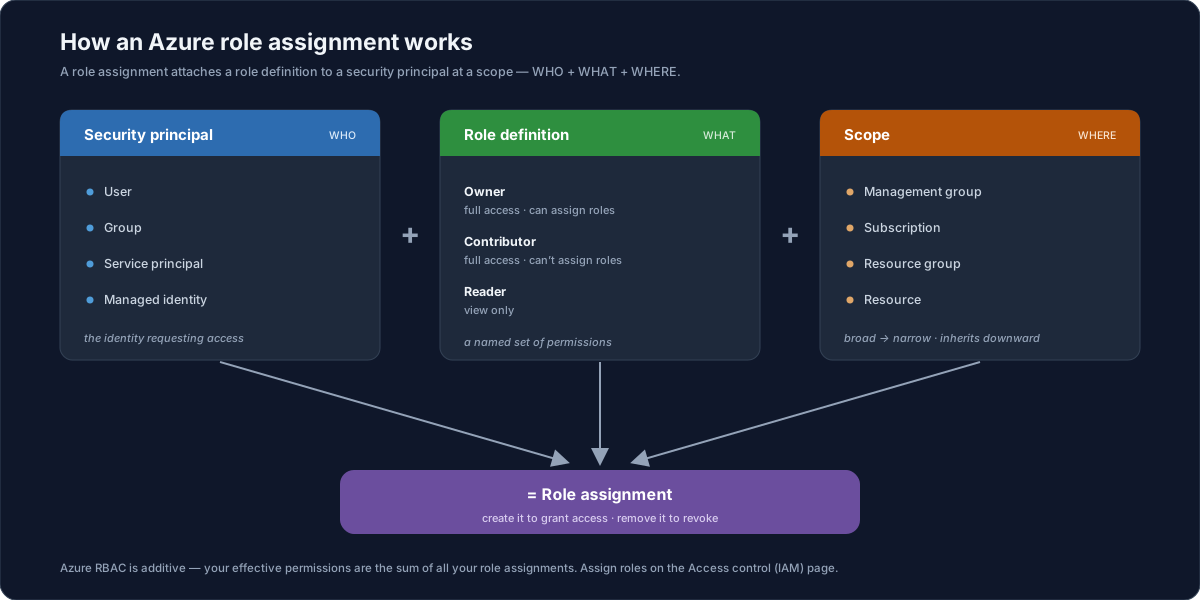
- Security principal (WHO) — the identity requesting access: a user, a group, a service principal, or a managed identity.
- Role definition (WHAT) — a named collection of permissions, such as Owner, Contributor, or Reader. The role definition lists the actions that are allowed.
- Scope (WHERE) — the set of resources the access applies to: a management group, subscription, resource group, or resource.
Bring the three together and you have a role assignment: you create one to grant access and remove it to revoke access. A useful rule to keep in mind — Azure RBAC is additive: your effective permissions are the sum of all the role assignments that apply to you.
The four scope levels and inheritance
Azure roles use the same four-level scope hierarchy as the rest of the platform, from broadest to narrowest:
| Scope | What it is |
|---|---|
| Management group | A container that organizes multiple subscriptions for governance at scale. |
| Subscription | The billing and access-control boundary. |
| Resource group | A container for resources that share a lifecycle. |
| Resource | An individual Azure service instance (database, VM, storage account, virtual network). |
The behaviour to remember is inheritance: a role assigned at a higher scope is inherited by everything below it. Grant Reader at the subscription, and the principal can read every resource group and resource inside it. This is why scope choice matters — assign too broadly and you grant more than you intended; assign at the narrowest scope that does the job.
Do the two systems overlap?
By default, no. Azure roles and Microsoft Entra roles do not span Azure and Microsoft Entra ID — a directory role gives you nothing over Azure resources, and an Azure role gives you nothing in the directory. There is one deliberate exception:
- A Global Administrator can elevate access (using the Access management for Azure resources switch in Microsoft Entra ID) to be granted the User Access Administrator Azure role at the root scope — across all subscriptions. This is the bridge that lets a directory administrator regain control of Azure resources when needed.
- The corollary is the part to remember: by default, a Global Administrator does not have access to Azure resources. The elevation is an explicit, auditable action — not an automatic right.
Both systems also support custom roles, so when none of the built-in roles fit, you can define your own collection of permissions on either side.
Customer value
- Least privilege by design — separating directory administration from resource administration lets you grant exactly the access a role needs and nothing more.
- Clear separation of duties — an identity team can manage users without touching production infrastructure, and a platform team can manage resources without administering the directory.
- Predictable, auditable access — because every Azure assignment is principal + role + scope, you can read off precisely who can do what, where — and the Global Administrator elevation is an explicit, logged action.
- Scales with the organization — built-in roles cover the common cases, inheritance lets you assign once, high up, and custom roles handle the edge cases.
Risks and constraints to remember
- The systems are separate by default — don't assume a Global Administrator can manage Azure resources; by default they can't until access is elevated.
- Global Administrator is broad — it can reset any password and assign any admin role; grant it sparingly and prefer a more focused role where possible.
- Owner can hand out access — Owner can assign roles, so it can grant others access; Contributor cannot, which is the key difference between the two.
- Inheritance flows downward — a high-scope assignment reaches everything below it, so assign at the narrowest scope that meets the need.
- RBAC is additive — you can't subtract access with another grant; effective permissions are the sum of all assignments that apply.
- Right place to assign — Entra roles live under Roles and administrators; Azure roles live under Access control (IAM). Mixing them up is a common mistake.
Terms to remember
- Microsoft Entra role — a role that manages access to Microsoft Entra resources (users, groups, licenses, domains); scoped to the tenant, an administrative unit, or a single object; assigned under Roles and administrators.
- Azure role (RBAC) — a role that manages access to Azure resources; built on Azure Resource Manager; assigned under Access control (IAM).
- Global Administrator — the top Entra directory role; manages all administrative features, assigns admin roles, and resets any password; the tenant sign-up account becomes one.
- Global Reader — the read-only counterpart of Global Administrator.
- User Administrator — an Entra role that creates and manages users and groups and changes their passwords.
- Owner / Contributor / Reader — the three fundamental Azure roles that apply to all resource types: full access with role assignment, full access without role assignment, and view-only.
- Role assignment — the pairing of a security principal + role definition + scope; create it to grant access, remove it to revoke.
- Security principal — the identity in an assignment: a user, group, service principal, or managed identity.
- Scope — the set of resources an assignment applies to: management group → subscription → resource group → resource, where higher levels are inherited downward.
- Elevate access — the Global Administrator action that grants the User Access Administrator Azure role across all subscriptions; needed because the two systems don't overlap by default.
"When a customer mixes up 'admins', I separate the two questions. Microsoft Entra roles answer who can run the directory — create users, reset passwords, assign other admins; that's Global Administrator, User Administrator, Global Reader, managed under Roles and administrators. Azure roles answer who can touch our resources — start a VM, read a storage account, manage a database; that's Owner, Contributor, Reader, assigned on Access control (IAM). The key is they're separate by default — being a Global Admin doesn't give you our infrastructure, which is exactly what we want. Every Azure grant is the same recipe — who (a user, group, service principal, or managed identity) gets what (a role like Contributor) where (at a subscription, resource group, or resource) — and because it inherits downward, we assign at the narrowest scope that does the job."