2 · Azure subscription
These are original revision notes for the Azure subscription lesson in the Azure Identity and Networking module. They explain, in our own words, what an Azure subscription is, how it relates to a Microsoft Entra tenant, and how subscriptions and resource groups fit into the wider Azure scope hierarchy — rather than reproducing the recording.
Core message
An Azure subscription separates Azure environments by financial and administrative logic. It is two boundaries at once: a billing boundary, where consumption is metered and reported separately per subscription, and an access-control boundary, where you assign Azure RBAC. A useful analogy is a SIM card — without one you can't create anything, and what you build is tied to that subscription. Every subscription has a trust relationship with a single Microsoft Entra tenant, which supplies the identities that sign in and the principals you grant roles to. One tenant can be trusted by many subscriptions, but a subscription can trust only one tenant at a time. Inside a subscription, related resources are grouped into resource groups — containers that hold resources sharing the same lifecycle. Subscriptions and resource groups sit in a four-level scope hierarchy — management group → subscription → resource group → resource — where settings flow downward.
What an Azure subscription is
An Azure subscription is a logical container that separates your Azure environment by financial and administrative logic. You provision resources into a subscription, and that subscription determines how the usage is billed and who is allowed to manage what.
- It maps cleanly onto how organizations actually run cloud: one subscription per department, environment (production vs. development), project, or cost center, so spending and administration stay separated.
- When you create any resource — a database, a virtual machine, a storage account — you specify which subscription it belongs to, and you are billed for it by consumption.
- An organization is not limited to one: you can have multiple subscriptions and organize them however your billing and governance need.
The SIM-card analogy is the one to hold onto: a phone with no SIM can't make calls; an Azure account with no subscription can't create resources. The subscription is what makes the environment "live", and every resource you build is tied back to it.
The billing boundary
A subscription is first a billing boundary.
- Each subscription generates its own billing report and invoice, so usage is grouped and totalled per subscription.
- Because billing is per subscription, splitting workloads across subscriptions is a simple, reliable way to separate costs — for example, keeping production spend apart from development spend, or giving each business unit its own bill.
- You are billed by consumption of the resources provisioned into that subscription.
The access-control boundary
A subscription is also an access-control boundary.
- You apply Azure role-based access control (RBAC) at the subscription scope, so policies and role assignments made there apply to everything inside the subscription.
- Different subscriptions can carry different access-management policies, which lets you give teams autonomy over their own subscription without exposing the rest of the organization.
- The principals you assign those roles to come from the Microsoft Entra tenant the subscription trusts — which is why the trust relationship matters.
Trust relationship with a Microsoft Entra tenant
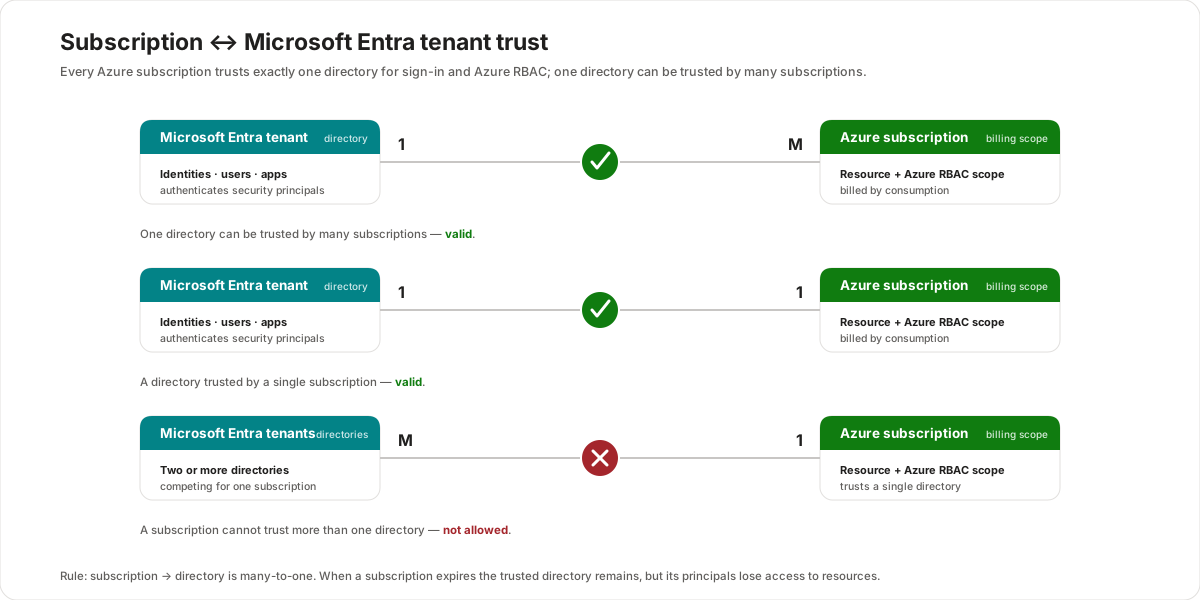
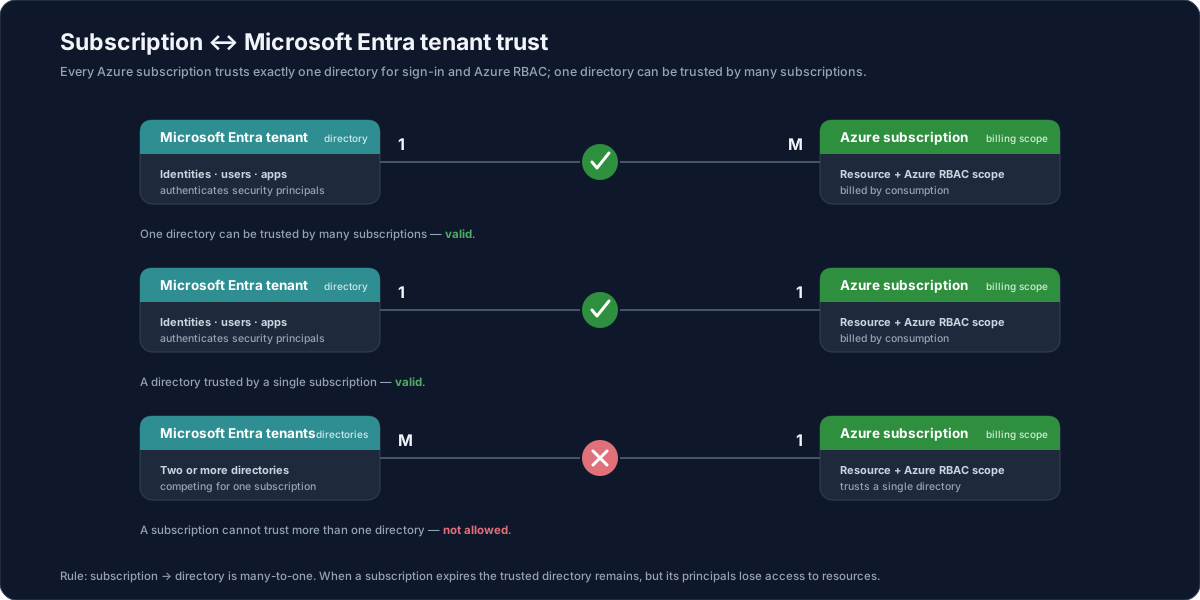
All Azure subscriptions have a trust relationship with a Microsoft Entra tenant. The tenant is where the identities live; the subscription trusts that tenant to authenticate users and service principals and to supply the principals you grant access to.
The cardinality is the part to memorize:
- A subscription can only trust a single directory (one Entra tenant at a time).
- A single Entra tenant can be trusted by many subscriptions.
So the relationship of subscription → directory is many-to-one:
| Tenants : Subscriptions | Allowed? | Why |
|---|---|---|
| 1 : M (one tenant, many subscriptions) | ✅ Valid | A directory can be trusted by many subscriptions. |
| 1 : 1 (one tenant, one subscription) | ✅ Valid | The simplest case — one directory, one subscription. |
| M : 1 (many tenants, one subscription) | ❌ Not allowed | A subscription can trust only one directory. |
Two consequences worth remembering:
- When a subscription expires, the trusted directory instance remains, but the subscription's principals lose access to its resources — the identities still exist; what's gone is the live subscription they could act on.
- Changing a subscription's directory changes which tenant supplies the RBAC identities. It does not automatically make the person who changed it a Global Administrator of anything — it re-points trust, it doesn't grant directory-wide admin rights.
Resource groups
Inside a subscription, you don't drop resources in loose — you place them in resource groups. A resource group is a container that holds related resources for an Azure solution.
The behaviour to remember:
- Same lifecycle — all the resources in a group should share the same lifecycle: you deploy, update, and delete them together. If a resource has a very different lifecycle from the rest, it generally belongs in its own group.
- One group per resource — each resource can exist in only one resource group at a time. You can add, remove, or move resources between groups whenever you need.
- No nesting, no renaming — resource groups cannot be nested inside other resource groups, and a resource group cannot be renamed after creation.
- Cascade delete — deleting a resource group deletes every resource inside it. This makes a group a clean unit to tear down, and a dangerous one to delete carelessly.
- Resources can span regions — a resource group has its own region (location), but the resources inside it can live in different regions; the region of the group is where the group's metadata is stored. (Keeping resources in the same region as the group is a sensible default, not a requirement.)
- Metadata and compliance — because the group's location stores its metadata, an organization with data-residency requirements may need that metadata kept in a particular region.
- A scope for governance — like a subscription, a resource group is a scope you can apply Azure Policy, role assignments, and locks to; resources can also connect to resources in other groups.
- Tags don't inherit — tags applied to a resource group are not inherited by the resources inside it; tagging is per resource.
When you create a resource (or a resource group), you specify three things: the subscription, the resource group name, and the region.
The Azure scope hierarchy
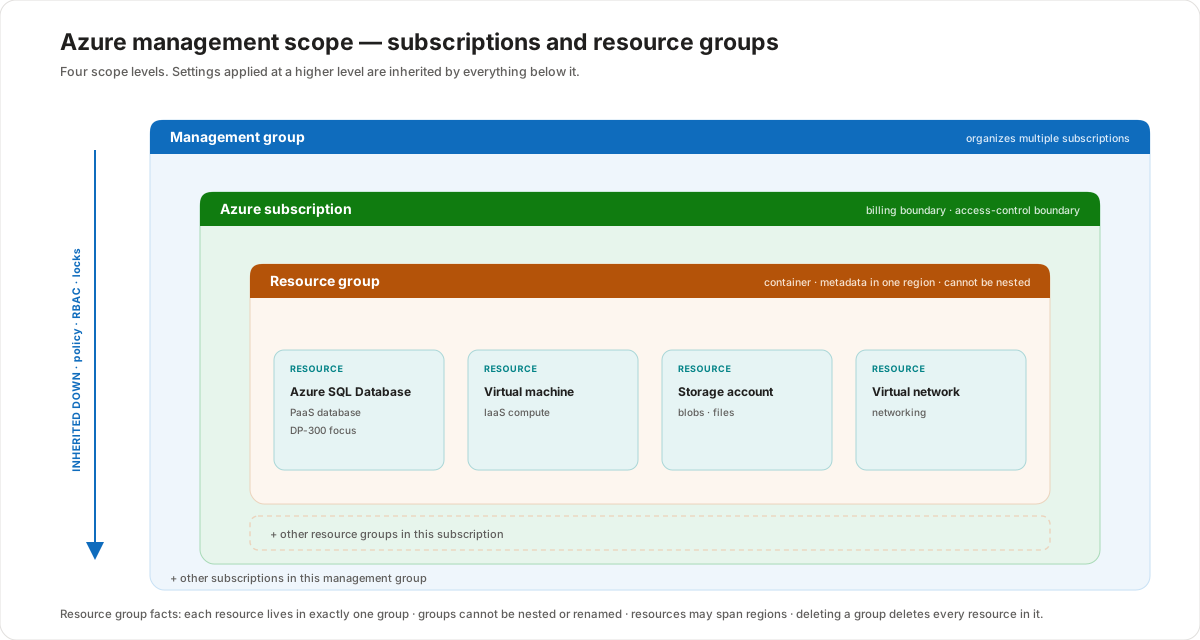
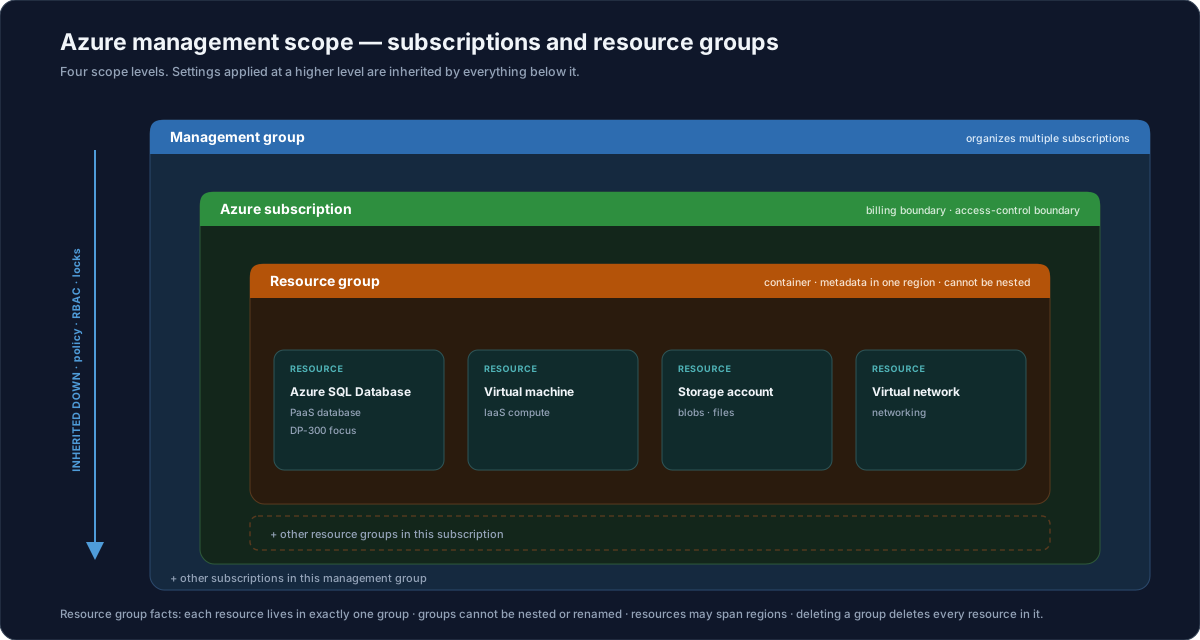
Subscriptions and resource groups are two of the four scope levels in Azure, from broadest to narrowest:
| Scope | What it is |
|---|---|
| Management group | A container that organizes multiple subscriptions for governance at scale. |
| Subscription | The billing and access-control boundary; trusts one Entra tenant. |
| Resource group | A container for resources that share a lifecycle. |
| Resource | An individual Azure service instance (database, VM, storage account, virtual network). |
The rule that ties them together: settings applied at a higher scope are inherited by everything below it. A policy or role assignment placed on a management group flows down to its subscriptions, their resource groups, and the resources inside them. This is why scope choice matters — apply something too broadly and it reaches more than you intended.
Customer value
- Clean cost separation — one subscription per environment, department, or project gives each its own invoice, so finance can read spend without untangling a shared bill.
- Delegated administration — the subscription access-control boundary lets a team own and govern its subscription without touching the rest of the organization.
- Predictable identity — every subscription trusts a known Entra tenant, so you always know which directory authenticates users and supplies the principals you assign roles to.
- Lifecycle-aligned grouping — resource groups let you deploy and retire a solution as one unit, which keeps environments tidy and tear-down reliable.
- Governance at scale — management groups and the inheritance model let you set policy once, high up, and have it apply consistently downward.
Risks and constraints to remember
- A subscription trusts only one tenant — the many-to-one rule means M:1 (many tenants to one subscription) is invalid; re-pointing a subscription's directory is a deliberate change.
- Expiry ≠ deletion of identities — when a subscription expires the directory remains, but principals lose access to that subscription's resources.
- Changing the directory doesn't grant admin — re-pointing trust does not make anyone a Global Administrator.
- Deleting a resource group is destructive — it removes all resources inside it; there is no partial undo.
- Resource groups can't be nested or renamed — design the name and structure correctly up front.
- One resource, one group — a resource belongs to exactly one resource group at a time (you can move it, but it's never in two).
- Region of the group is metadata location — it's the group's metadata that lives in the group's region; resources can sit elsewhere, which matters for data-residency reviews.
- Tags don't cascade — don't assume a resource-group tag reaches its resources; it doesn't.
Terms to remember
- Azure subscription — a logical container that separates an Azure environment by financial and administrative logic; both a billing boundary and an access-control boundary.
- Billing boundary — the per-subscription scope where consumption is metered and a separate billing report/invoice is produced.
- Access-control boundary — the subscription scope at which Azure RBAC policies and role assignments apply.
- Trust relationship — the link by which a subscription trusts a single Microsoft Entra tenant to authenticate identities and supply principals; subscription → directory is many-to-one.
- Resource group — a container that holds related resources that should share the same lifecycle; cannot be nested or renamed, and deleting it deletes all its resources.
- Resource — an individual manageable Azure service instance (for example an Azure SQL Database, virtual machine, storage account, or virtual network).
- Management group — a scope above subscriptions used to organize and govern multiple subscriptions.
- Scope hierarchy — management group → subscription → resource group → resource, where higher-level settings are inherited downward.
- Region (location) of a resource group — where the group's metadata is stored; resources inside can be in other regions.
"When a customer asks how to organize Azure, I frame it as boundaries. A subscription is two things at once: a billing boundary — its own invoice — and an access-control boundary — where we assign who can do what. Think of it like a SIM card: nothing runs until you have one, and everything you build is tied to it. Each subscription trusts one Microsoft Entra tenant for identity, and that tenant can be shared across many subscriptions — but never the other way around. Inside a subscription, we group resources that live and die together into resource groups; deleting the group deletes everything in it, so it's a clean unit to stand up an environment and tear it down. And because settings inherit downward — management group, subscription, resource group, resource — we set governance high up once and let it flow, instead of repeating it on every resource."