6 · Azure VNet Security
These are original revision notes for the VNet security lesson in the Azure Identity and Networking module. They explain, in our own words, how a network security group (NSG) filters traffic inside a virtual network — the rules it uses, the defaults you get, and how the same packet is evaluated when an NSG sits on a subnet, a NIC, or both — rather than reproducing the recording.
Core message
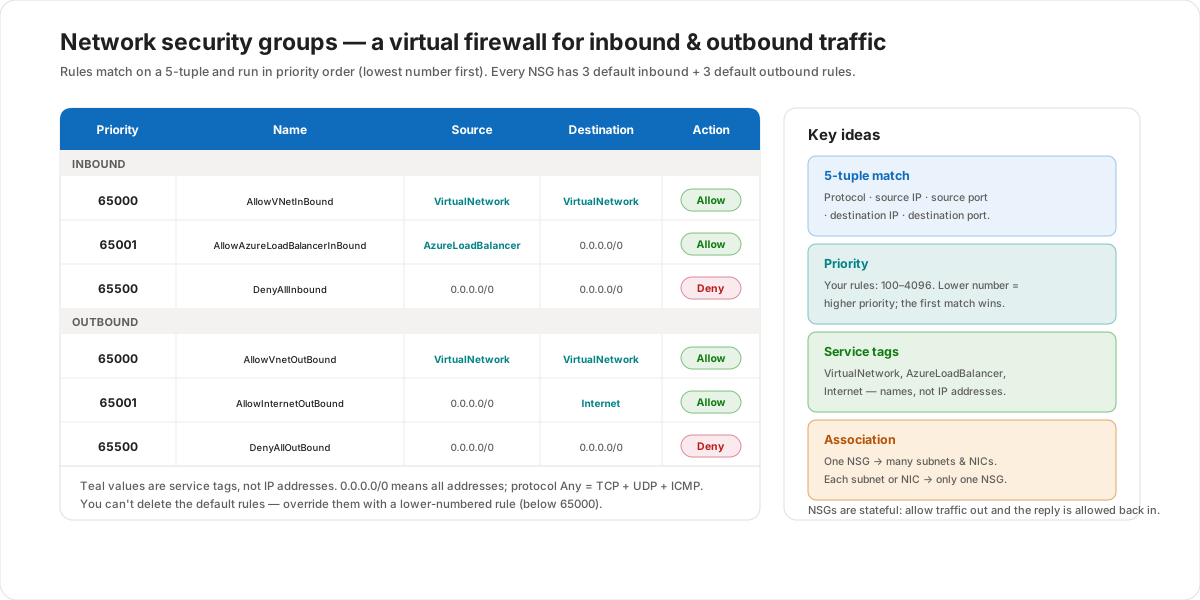
A network security group is a virtual firewall that allows or denies traffic to and from Azure resources. Each NSG holds security rules that match traffic on a 5-tuple — protocol, source IP, source port, destination IP, and destination port — and either allow or deny it. Rules run in priority order, and the lowest number wins: once traffic matches a rule, evaluation stops. Every NSG ships with three default inbound and three default outbound rules that you can't delete but can override with a lower-numbered rule. You can attach one NSG to many subnets and NICs, but each subnet or NIC can have only one NSG. Because NSGs are stateful, allowing traffic one way automatically allows the reply back.
What is a network security group?
A network security group (NSG) filters network traffic to and from Azure resources in a virtual network. Think of it as a virtual firewall wrapped around your VMs: it contains a list of security rules that allow or deny inbound and outbound traffic.
You can associate one NSG with as many subnets and network interfaces (NICs) as you like — but the relationship the other way is one-to-one: a subnet can have zero or one NSG, and a NIC can have zero or one NSG. That single constraint is what makes the layering rules later in this lesson predictable.
Security rules and the 5-tuple
Every rule in an NSG is evaluated against the five-tuple of a packet:
- Protocol — TCP, UDP, ICMP, or Any (Any covers TCP, UDP, and ICMP).
- Source — the source IP address or range.
- Source port — the originating port range.
- Destination — the destination IP address or range.
- Destination port — the target port range.
Each rule also has a name, a direction (inbound or outbound), an action (allow or deny), and a priority:
- Priority is a number between 100 and 4096 for your own rules. Lower numbers have higher priority, and they're processed first. Once traffic matches a rule, processing stops — later rules with the same attributes never run.
- For source and destination, you can use Any, an individual IP, a CIDR block (such as
10.0.0.0/24), a service tag, or an application security group.
Because an NSG is stateful, you only need a rule for the direction that initiates a connection. If you allow an outbound flow on a port, the return traffic is allowed automatically — you don't need a matching inbound rule, and vice versa.
Default rules
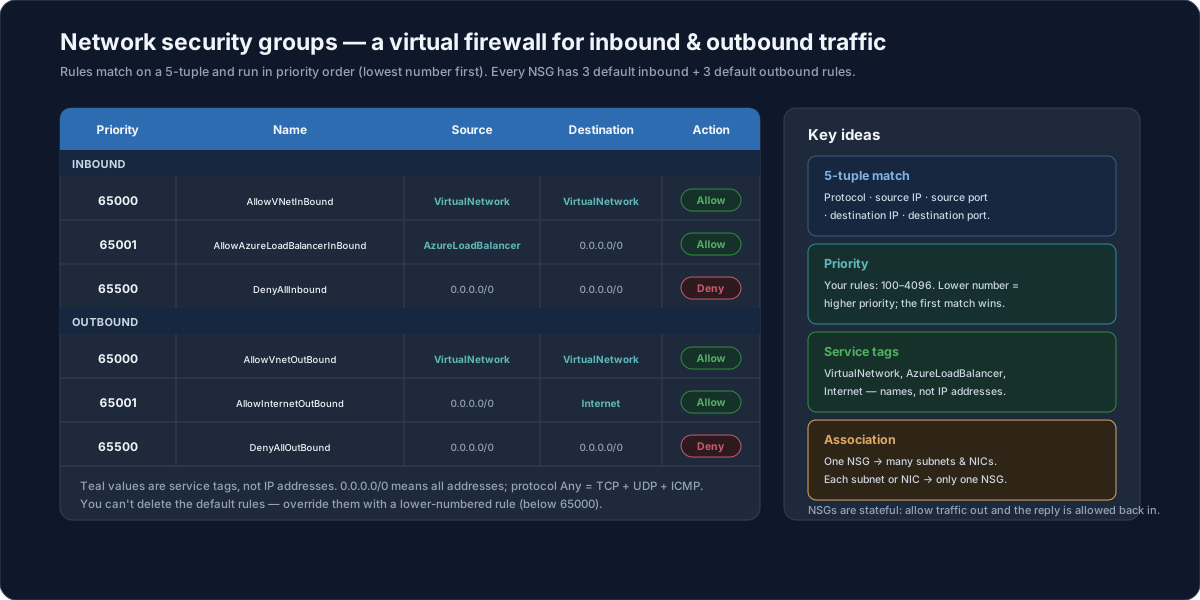
When Azure creates an NSG, it adds six default rules — three inbound and three outbound. You can't delete them, but because they have the highest numbers (lowest priority), any rule you create with a lower number takes precedence:
| Direction | Priority | Name | Source | Destination | Action |
|---|---|---|---|---|---|
| Inbound | 65000 | AllowVNetInBound | VirtualNetwork | VirtualNetwork | Allow |
| Inbound | 65001 | AllowAzureLoadBalancerInBound | AzureLoadBalancer | 0.0.0.0/0 | Allow |
| Inbound | 65500 | DenyAllInbound | 0.0.0.0/0 | 0.0.0.0/0 | Deny |
| Outbound | 65000 | AllowVnetOutBound | VirtualNetwork | VirtualNetwork | Allow |
| Outbound | 65001 | AllowInternetOutBound | 0.0.0.0/0 | Internet | Allow |
| Outbound | 65500 | DenyAllOutBound | 0.0.0.0/0 | 0.0.0.0/0 | Deny |
Read together, the defaults say: traffic inside the virtual network is allowed both ways, the Azure Load Balancer can reach your resources, outbound traffic to the internet is allowed, and everything else is denied. That's why a brand-new VM can browse out but can't be reached from the internet until you add an allow rule.
Service tags, not IP addresses
In the Source and Destination columns, VirtualNetwork, AzureLoadBalancer, and Internet are service tags — Microsoft-managed groups of IP ranges — not literal IP addresses. 0.0.0.0/0 represents all addresses, and protocol Any covers TCP, UDP, and ICMP. Service tags keep rules readable and stay current automatically as Azure's address ranges change.
How NSGs filter traffic
The interesting behavior appears when an NSG sits on a subnet, a NIC, or both — and the order of evaluation depends on direction:
- Inbound traffic is checked against the subnet NSG first, then the NIC NSG.
- Outbound traffic is checked against the NIC NSG first, then the subnet NSG.
The diagram walks through one virtual network with three subnets, four VMs, and inbound HTTP traffic on TCP port 80.
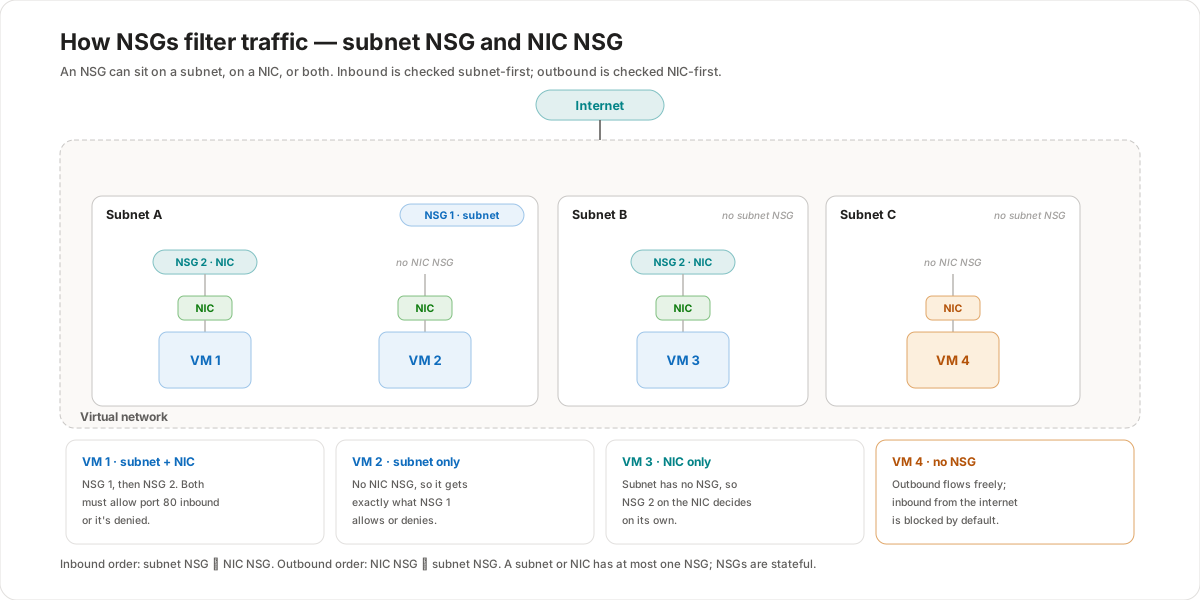
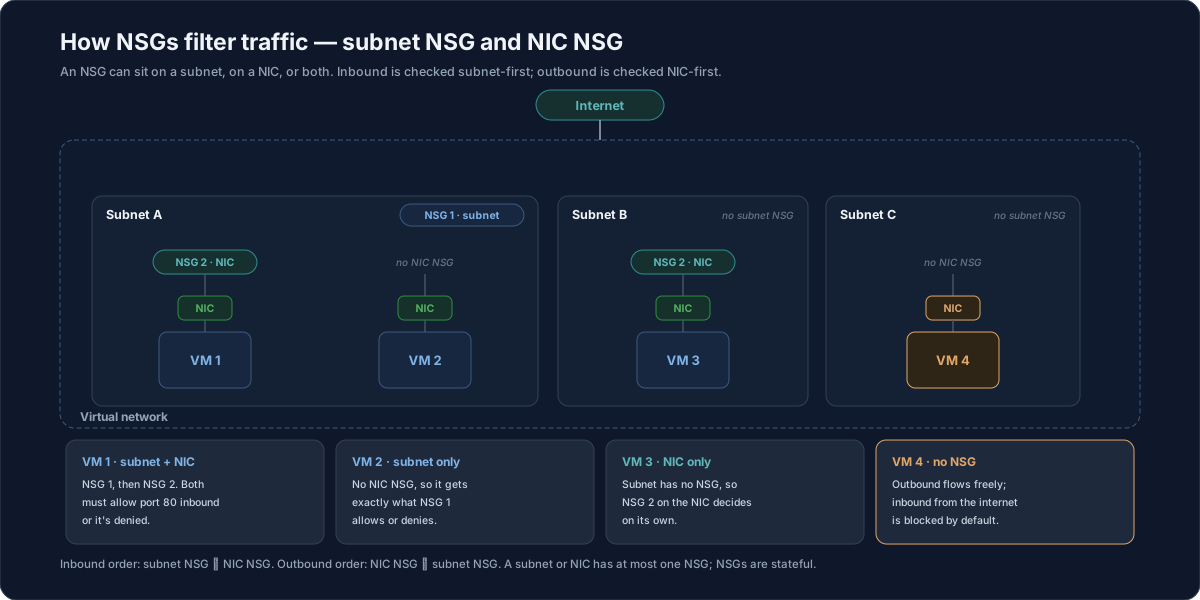
- VM1 sits in Subnet A (which has NSG 1) and its NIC has NSG 2. For inbound port 80, Azure evaluates NSG 1 first: the
DenyAllInbounddefault blocks the traffic unless you add a rule that explicitly allows port 80. If NSG 1 allows it, NSG 2 is then evaluated. To reach VM1, both NSG 1 and NSG 2 must allow port 80. - VM2 is also in Subnet A, so NSG 1 is processed — but VM2 has no NIC NSG, so it simply receives whatever NSG 1 allows and is blocked by whatever NSG 1 denies. When an NSG is on a subnet, its verdict applies to every resource in that subnet.
- VM3 is in Subnet B, which has no subnet NSG. Traffic is allowed into the subnet and then evaluated by NSG 2 on VM3's NIC, which decides on its own.
- VM4 is in Subnet C with no NSG on the subnet or the NIC. Outbound traffic from VM4 flows freely. For inbound traffic from the internet, a VM with a standard public IP is secure by default — the platform blocks it until an NSG (on the subnet or the NIC) explicitly allows it.
Older training material sometimes says "no NSG means all inbound traffic is allowed." Current Microsoft Learn guidance is that a VM with a standard SKU public IP is secure by default: inbound internet traffic is blocked unless an NSG allows it. Traffic within the virtual network still follows the default AllowVNetInBound behavior.
Overriding the defaults
You can't remove the default rules, but you override them by creating a rule with a lower priority number. Because the defaults sit at 65000–65500, any custom rule below 65000 — for example, an Allow TCP 80 inbound rule at priority 100 — is evaluated first and wins. In the portal, an NSG's Settings also let you manage inbound security rules, outbound security rules, and the subnets and network interfaces the NSG is associated with.
Customer value
- A firewall around every workload — NSGs give you allow/deny control at the subnet and NIC level without deploying extra appliances, so you can segment tiers (web, app, data) cleanly.
- Readable, self-maintaining rules — service tags like
VirtualNetwork,AzureLoadBalancer, andInternetexpress intent without hard-coding IP ranges that change over time. - Layered defense — putting a permissive rule on the subnet and a stricter rule on a sensitive VM's NIC lets you, say, allow inbound web traffic to a subnet while denying it to the database VM inside it.
- Secure by default — new VMs can reach out but can't be reached from the internet until you explicitly allow it, which reduces accidental exposure.
Risks and constraints to remember
- One NSG per subnet, one per NIC — a subnet or a NIC can have zero or one NSG, never several. Plan the rules you need into a single group.
- Avoid stacking NSGs on both layers — associating NSGs to both a subnet and its NICs is allowed, but the rules can conflict and cause hard-to-troubleshoot drops. Prefer one layer where you can.
- Inbound and outbound use opposite orders — inbound is subnet ▸ NIC, outbound is NIC ▸ subnet. A deny at the first layer means the second layer never sees the traffic.
- Both layers must allow — when NSGs sit on both the subnet and the NIC, each must permit the flow; a single deny anywhere blocks it.
- Default rules can't be deleted — only overridden with a lower-numbered rule; the deny-all defaults are always present underneath.
- No NSG ≠ open to the internet — a VM with a standard public IP is secure by default inbound; don't rely on "no NSG" to expose a service.
Terms to remember
- Network security group (NSG) — a virtual firewall holding security rules that allow or deny inbound and outbound traffic to subnets and NICs.
- Security rule — an allow/deny entry matched on the 5-tuple (protocol, source IP, source port, destination IP, destination port), with a name, direction, action, and priority.
- Priority — a number from 100 to 4096 for custom rules; lower = higher priority, and the first match wins.
- Default rules — the six rules (
65000–65500) every NSG starts with; can't be deleted, can be overridden by a lower number. - Service tag — a Microsoft-managed group of IP ranges (
VirtualNetwork,AzureLoadBalancer,Internet) used in place of literal IP addresses. - Stateful — once a flow is allowed in one direction, the return traffic is allowed automatically.
"I describe an NSG as a firewall you wrap around a subnet or a VM's NIC. It's a list of allow/deny rules matched on five things — protocol, source IP and port, destination IP and port — and they run lowest number first, so the first match wins. Every NSG comes with default rules you can't delete: traffic inside the VNet flows both ways, the load balancer is allowed, outbound to the internet is allowed, and everything else inbound is denied — which is why a new VM can browse out but isn't reachable until we add an allow rule. The part customers always need to get right is layering: inbound is checked subnet-first, then NIC; outbound is the reverse. So if a VM has an NSG on both its subnet and its NIC, both have to allow the port — one deny anywhere and the packet's gone. And a subnet or NIC can only ever have one NSG, so we plan all the rules into a single group instead of stacking them."