2 · OCI Database Migration & Data Load
These are original revision notes for the managed path into Oracle Database@Azure and the practical mechanics of getting data into the target. Lesson 1 covered the methods and Zero Downtime Migration; this lesson covers the OCI Database Migration service and the data-load options that sit underneath every logical move.
Core message
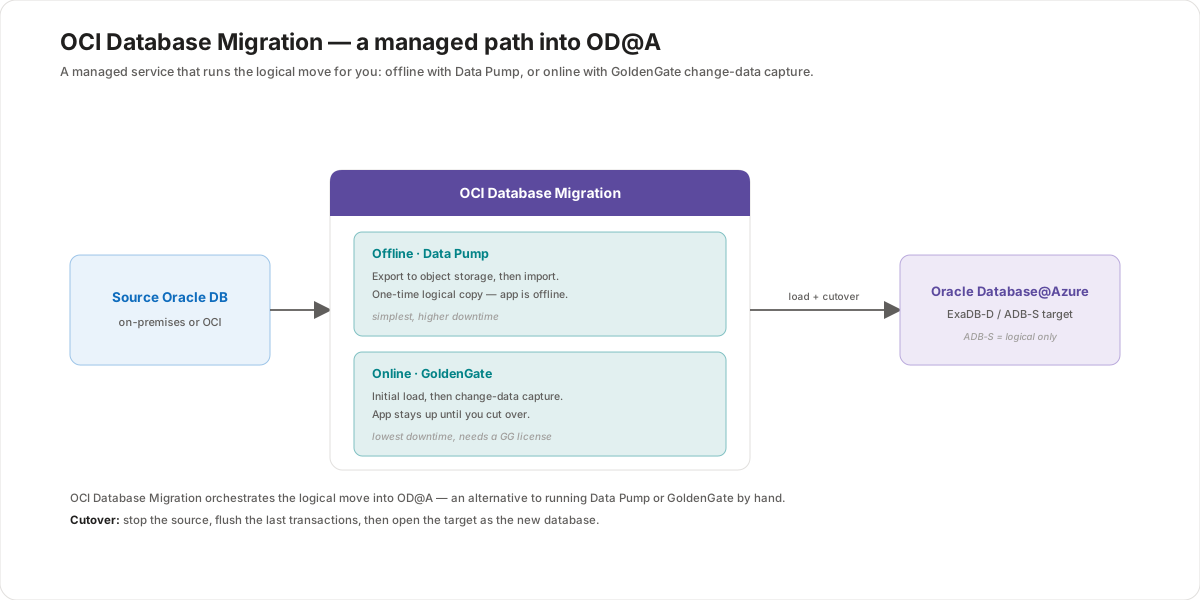
When you'd rather not script the move yourself, OCI Database Migration runs the logical migration as a managed service. It does an offline move with Data Pump (export to storage, then import) or an online move with GoldenGate (initial load plus change-data capture, so the app stays up until cutover). Either way, data reaches the target through one of a few load mechanisms — a Data Pump dump staged in Azure Blob, OCI Object Storage, NFS, or Azure NetApp Files; a database link that pulls data directly; or a bulk file transfer with AzCopy or Azure Data Box. The migration finishes the same way every method does: a short cutover and a round of validation.
OCI Database Migration
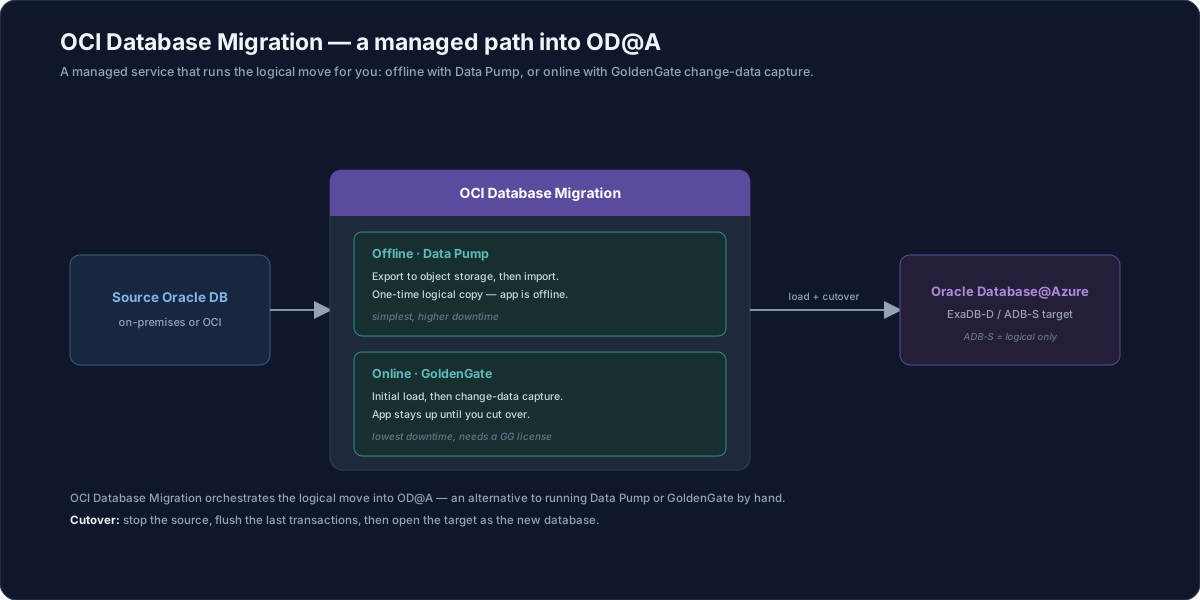
OCI Database Migration is an Oracle managed service that orchestrates a logical migration into OD@A — an alternative to running Data Pump or GoldenGate by hand, and a sibling to ZDM from Lesson 1. You point it at a source and an OD@A target, choose a mode, and the service runs and tracks the job.
- Offline · Data Pump — the service exports the source to a dump, stages it in object storage, and imports it into the target. It is the simplest path, with higher downtime because the application is offline for the copy.
- Online · GoldenGate — the service does an initial load and then keeps the target current with change-data capture, so the application stays up until you cut over. It gives the lowest downtime and uses GoldenGate (which needs a license).
Because the service performs a logical move, it works for both ExaDB-D and ADB-S targets — and for Autonomous Database, which is logical-only, it's a natural fit.
Loading data into the target
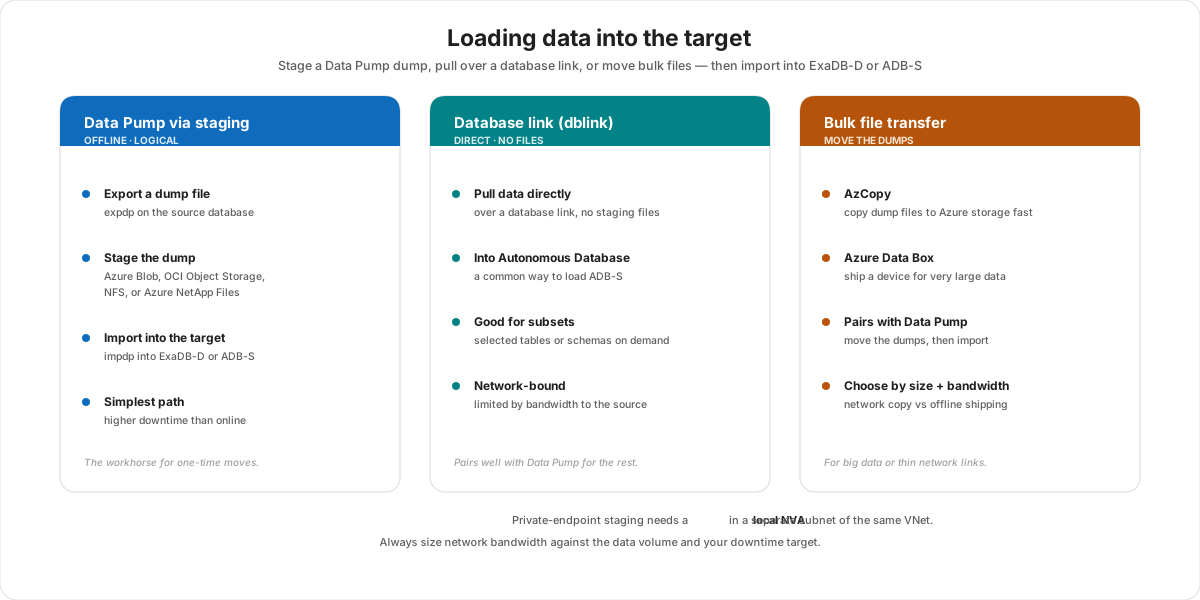
Underneath the orchestration, the data still has to physically land in the target. There are three common mechanisms, and real migrations often combine them.
Data Pump via staging
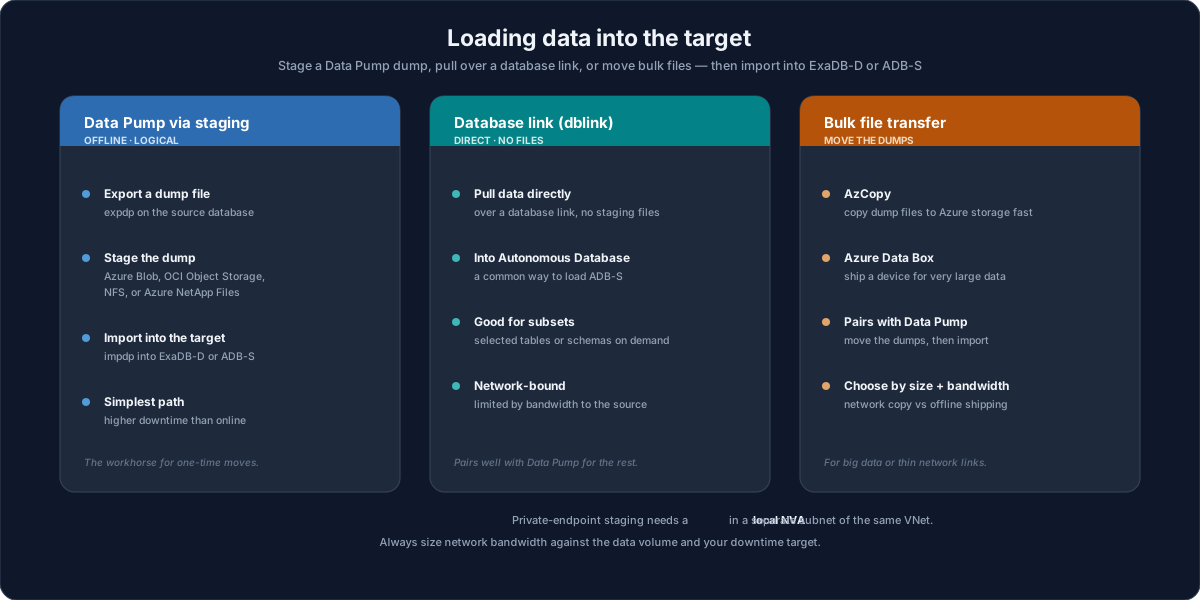
The logical workhorse. You export the source with expdp, stage the dump file in Azure Blob, OCI Object Storage, an NFS share, or Azure NetApp Files, then import it with impdp into ExaDB-D or ADB-S. It is offline and simple, but downtime scales with the data size, so it suits smaller databases or one-time moves.
Database link
A database link (dblink) pulls data directly from the source into the target with no intermediate dump files — a common way to load Autonomous Database. It's ideal for subsets (selected tables or schemas) and on-demand loads, but it's network-bound: throughput is limited by the bandwidth to the source.
Bulk file transfer
When the data is large or the network is thin, move the dump files efficiently:
- AzCopy copies dump files to Azure storage quickly over the network.
- Azure Data Box ships a physical device for very large datasets that would take too long online.
Bulk transfer pairs with Data Pump — you move the dumps first, then import. Choose network copy versus offline shipping based on data size and available bandwidth.
Cutover and validation
Every method ends the same way. At cutover you stop the source, flush the last transactions to the target, and open the target as the new database — minutes with an online method. Then you validate:
- Repoint applications — update connection strings, TNS entries, and related configuration to the new database.
- Verify the workload — confirm application services connect and behave as expected before fully retiring the source.
- Keep a fallback — until validation passes, keep the source recoverable so you can roll back if needed.
Customer value
- Less to script — the managed service runs and tracks the logical move, reducing hand-built tooling and operator error.
- Stay up with online mode — GoldenGate change-data capture keeps the application serving users until a short cutover.
- Flexible loading — stage dumps, pull over a database link, or ship a Data Box; mix them to fit data size and bandwidth.
- Autonomous-friendly — because it's logical, it fits ADB-S, where physical methods aren't allowed.
Risks and constraints to remember
- Logical, not physical — OCI Database Migration and database links are logical; for a same-version physical copy you still use RMAN or Data Guard (Lesson 1).
- GoldenGate licensing — online mode uses GoldenGate, which needs a license.
- Staging needs a path — private-endpoint staging (Blob / NFS) requires a local NVA in a separate subnet of the same VNet.
- Bandwidth limits dblink and online sync — for very large datasets, seed with Data Box rather than pulling everything over the link.
- Validate before you retire the source — repoint and test applications, and keep a fallback until the target is proven.
Terms to remember
- OCI Database Migration — Oracle's managed service that orchestrates a logical migration (offline Data Pump or online GoldenGate) into OD@A.
- Data Pump staging — export with
expdpto Azure Blob / OCI Object Storage / NFS / Azure NetApp Files, then import withimpdp. - Database link (dblink) — a direct, file-less pull of data into the target, common for loading Autonomous Database.
- AzCopy / Azure Data Box — bulk file movement over the network or via a shipped physical device.
- Cutover — stop the source, flush the last transactions, open the target as the new database.
"If a customer doesn't want to hand-run the migration, I point them at OCI Database Migration — it's a managed service that does the logical move for us: Data Pump offline, or GoldenGate online when they can't take downtime. Underneath, getting the data in is the practical part: most often we export a Data Pump dump, stage it in Azure Blob or Azure NetApp Files, and import it; for Autonomous we'll often just pull data over a database link; and when it's terabytes over a thin link, we seed with an Azure Data Box. It always ends with a quick cutover — stop the source, flush the last transactions, open the target — and then we repoint the app and validate before we retire anything. And because this path is logical, it's exactly what fits Autonomous Database, which won't take a physical move."